
Download MixPix – Free AI Photo Generation Tool for Windows, Mac, Android & iOS
Overview
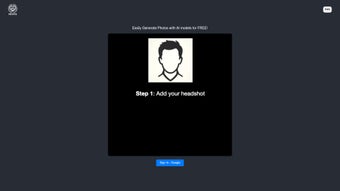
MixPix is a browser‑based, free AI photo generation platform that enables anyone—designers, marketers, hobbyists, or curious creators—to produce photorealistic images in seconds without installing a single program. The service runs on cutting‑edge diffusion models that interpret natural‑language prompts and translate them into vivid, high‑resolution pictures. What truly sets MixPix apart is its proprietary “AI supermodel” library: a collection of virtual models that can be posed, clothed, and illuminated on demand, allowing users to add realistic people to any scene without hunting for stock photos.
The interface follows a minimalist philosophy: a single canvas, a handful of sliders for style, lighting, and resolution, and a bold “Generate” button. Users simply type a description, pick a supermodel if desired, and watch the AI render the scene within a few seconds. Because all processing occurs on MixPix’s cloud servers, the local device only needs a modern browser with JavaScript enabled.
The free tier provides unlimited generations up to 1080p, while optional premium credits unlock faster queues and 4K exports. MixPix also respects user privacy—prompts are processed anonymously and are not stored permanently. In short, MixPix delivers a powerful, cost‑free solution for on‑the‑fly image creation, making advanced AI imaging accessible to anyone with an internet connection.
Key Features
- AI Supermodels: Choose from a curated set of virtual avatars, adjust pose, expression, and wardrobe, and seamlessly embed them into any generated scene.
- Text‑to‑Image Generation: Provide plain‑language prompts and let the diffusion engine create realistic photos that match your description.
- Browser‑Only Workflow: No downloads, no installers—everything runs securely in the user’s web browser.
- High‑Resolution Export: Free users receive images up to 1080p; premium credits unlock 4K output for print‑ready projects.
- Live Preview Thumbnails: As you tweak prompts and sliders, a miniature preview updates instantly, giving immediate visual feedback.
- Secure Data Handling: All communications are encrypted via HTTPS, and prompts are processed without being linked to personal accounts.
- Multilingual Prompt Support: Input prompts in English, Spanish, French, German, Portuguese, and several other languages.
- Beta API Access: Developers can call a simple REST endpoint to integrate MixPix generation capabilities into custom applications.
Installation, Usage & Compatibility
Getting Started – No Installation Required
Because MixPix is a pure web application, the “installation” step is simply navigating to https://mixpix.ai. The site will prompt you to enable JavaScript; once approved, the AI engine loads in the background and the canvas becomes ready for use. There are no executable files, no admin rights, and no background services to manage, which makes the tool ideal for corporate environments with strict IT policies.
Step‑by‑Step Usage Guide
- Open the website: Use any up‑to‑date browser (Chrome, Edge, Firefox, Safari).
- Enable JavaScript: Accept the security prompt so the AI scripts can run.
- Enter a prompt: Type a detailed description, e.g., “A bustling city street at night with a female AI supermodel wearing a neon jacket.”
- Select a supermodel (optional): Choose an avatar from the dropdown and adjust pose or clothing with the sliders.
- Fine‑tune visual settings: Modify style intensity, lighting direction, and output resolution to suit your project.
- Generate the image: Click “Create Image.” The cloud‑based model processes the request and returns a preview within seconds.
- Download or iterate: If satisfied, download the PNG/JPEG file. If not, edit the prompt or sliders and regenerate.
Supported Operating Systems
MixPix works on any device that can run a modern web browser with JavaScript enabled. Supported platforms include:
- Windows 10/11 (Chrome, Edge, Firefox)
- macOS Ventura or later (Safari, Chrome, Firefox)
- Linux distributions with recent browsers
- Android 8.0+ (Chrome, Firefox)
- iOS 13+ (Safari, Chrome)
Pros, Cons, and Frequently Asked Questions
Pros
- Fully free tier with unlimited generations up to 1080p.
- Unique AI supermodel library adds a human element absent in many generators.
- Zero‑install, browser‑only experience works on virtually any device.
- Fast rendering thanks to optimized cloud inference.
- Strong privacy stance—prompts are not permanently stored or linked to user accounts.
Cons
- Free resolution capped at 1080p, which may limit large‑format print projects.
- Advanced style controls are more limited compared with premium competitors.
- Queue times can increase during peak usage periods.
- Documentation on the underlying AI models is sparse, leaving power users wanting more technical insight.
- No native batch processing; each image must be generated individually.
Frequently Asked Questions
Is MixPix really free, or are there hidden costs?
MixPix provides a completely free tier that includes unlimited text‑to‑image generation at up to 1080p resolution. The only optional expense is purchasing premium credits, which grant faster rendering queues and 4K export capability. There are no subscription fees or hidden charges for the core service.
Do I need a powerful computer to run MixPix?
No. All AI inference happens on MixPix’s cloud servers. Your local device only needs to display HTML5 content and maintain a stable internet connection, making the tool usable on low‑end laptops, tablets, and smartphones.
Can I use the generated images for commercial projects?
Yes. MixPix’s terms of service grant users full commercial rights to images created on the free tier, provided the content does not violate copyright, trademark, or illegal‑use policies. It’s advisable to review the latest licensing agreement before large‑scale commercial deployment.
How does the AI supermodel feature work?
Supermodels are pre‑trained virtual avatars stored on MixPix’s servers. When you select a model, the generation engine positions it according to the pose, clothing, and expression settings you choose, then blends the avatar into the background described by your prompt. This process eliminates the need to source separate stock photos of people.
Is my data safe when I type prompts into MixPix?
MixPix processes prompts anonymously and does not retain them permanently. All traffic is encrypted with HTTPS, and the platform follows GDPR‑compatible privacy practices. Nonetheless, avoid entering personally identifiable information in prompts, as with any online service.
Conclusion & Call to Action
If you need a reliable, no‑cost solution for generating photorealistic images on demand, MixPix stands out as one of the most versatile tools available today. Its intuitive web interface, AI supermodel library, and strong privacy guarantees make it an excellent choice for social‑media creators, small‑business marketers, and anyone experimenting with AI‑driven visual content. While power users may eventually upgrade to premium credits for 4K exports or priority queues, the free tier already offers more than enough capability for most everyday projects. Ready to see what AI can create for you? Visit MixPix now, enable JavaScript, and start generating stunning photos instantly.



.png)



